
Chat
Write, translate, brainstorm, and research. Attach documents you want to ask about. Chat has no workspace tools to browse your folders, run commands, or change files.
Write, research, and ask questions about your documents. Switch to Agent to work with project files and build small apps. The AI runs on your Mac, with no cloud AI account or recurring subscription required.
You choose the mode for each conversation.
Write, translate, brainstorm, and research. Attach documents you want to ask about. Chat has no workspace tools to browse your folders, run commands, or change files.
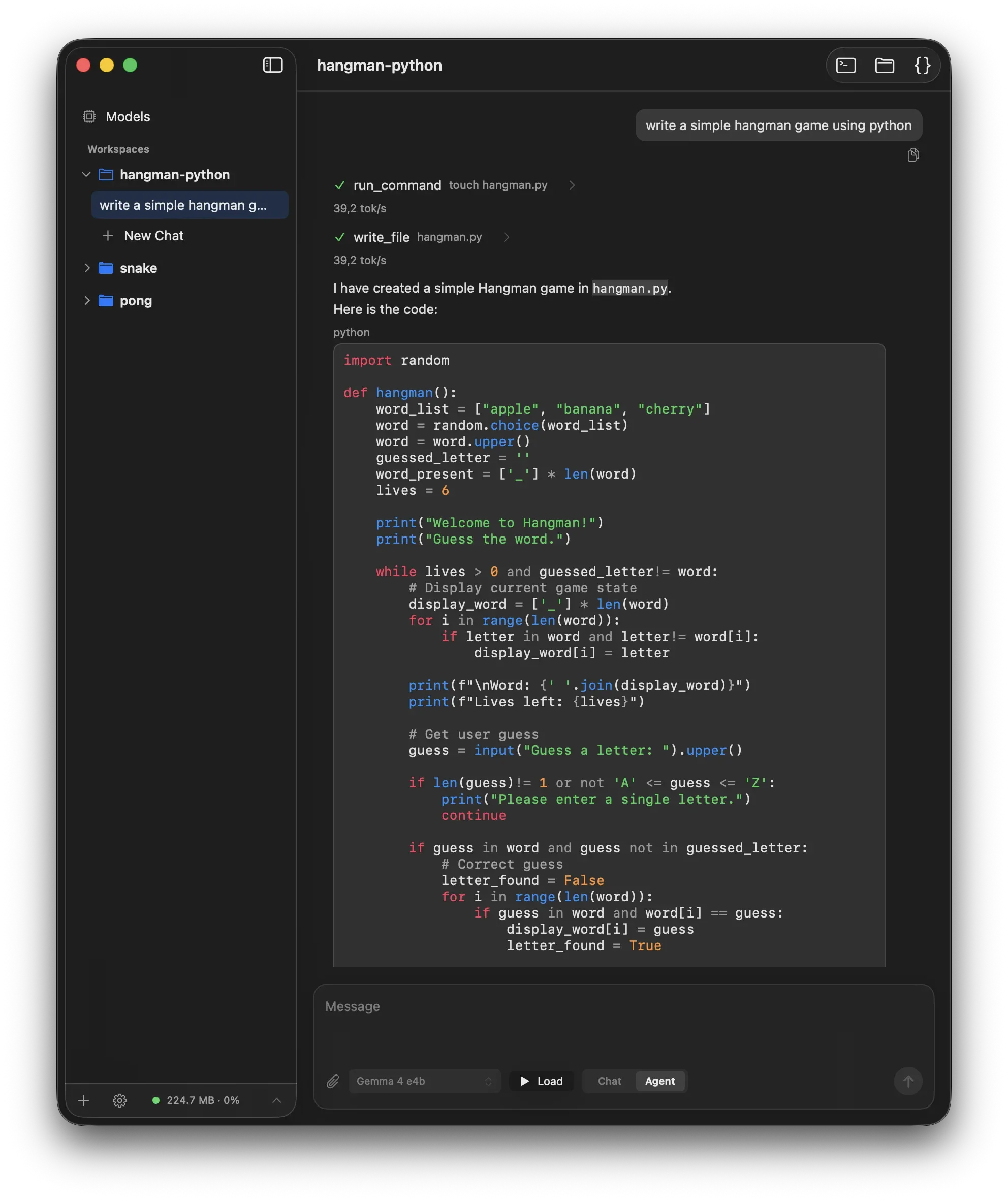
Work with a selected project folder, edit files, run commands, and preview what you build. Connect the tools you need, with manual approval by default.
 A few things to ask Sumika.
Make this email shorter and friendlier.
Draft a message, improve your writing, translate text, or explore an idea with a private AI assistant.
What are the key points in this PDF?
Attach PDFs, Word documents, spreadsheets, or presentations. Ask questions and summarize their text, with document processing on your Mac.
Find a few sources for this idea.
Search the web and bring useful information into your conversation. You control web access.
Build a small timer for my desk.
Create small apps, scripts, and prototypes. Let Sumika edit project files, run commands, and show local previews beside the chat.
Let me talk this through.
Dictate prompts with local speech recognition and listen to responses with your Mac’s voices.
Use the tools I’ve connected for this task.
Extend Agent mode with configured app and service integrations. Choose which connections each conversation can use.
Private AI with clear boundaries around the tools it can use.
AI processing and chat history stay on your Mac. Enabled web tools and integrations send requests to the services you choose. Model downloads and update checks also use the network.
Agent tools ask for approval by default. Auto-approve is an explicit option for new Agent sessions. You choose the workspace folder and available integrations.
Follow prompts, responses, tool calls, approvals, and command output in one visible conversation. Inspect the steps behind the result.
Install Sumika, choose and download a model, and start chatting. No separate AI server or API key required.
Apple Silicon · macOS 15 or later · Free & open source (Apache-2.0)
Signed and notarized, with built-in update guidance. Sumika is an evolving prototype; features and workflows are still changing.
Documents: Attach up to eight files, with 32,000 extracted characters total per message and up to 64 MiB per document. Content must also fit your selected model. Scanned PDFs need text recognition first; Sumika does not perform OCR.
Integrations: Configure MCP servers in Settings, then choose which are available to each Agent conversation. These connections may use local apps or remote services.
Project guidance: Agent mode reads your workspace’s AGENTS.md instructions. Activate a discovered skill by typing its $name in the composer.
# install the toolchain
brew version-install just@1.58.0
brew version-install typos-cli@1.50.0

# clone & build
git clone https://github.com/ngutech21/sumika-chat
cd sumika-chat
just deps
just build